Screens are from our demo environment with test data.
Backup payment methods
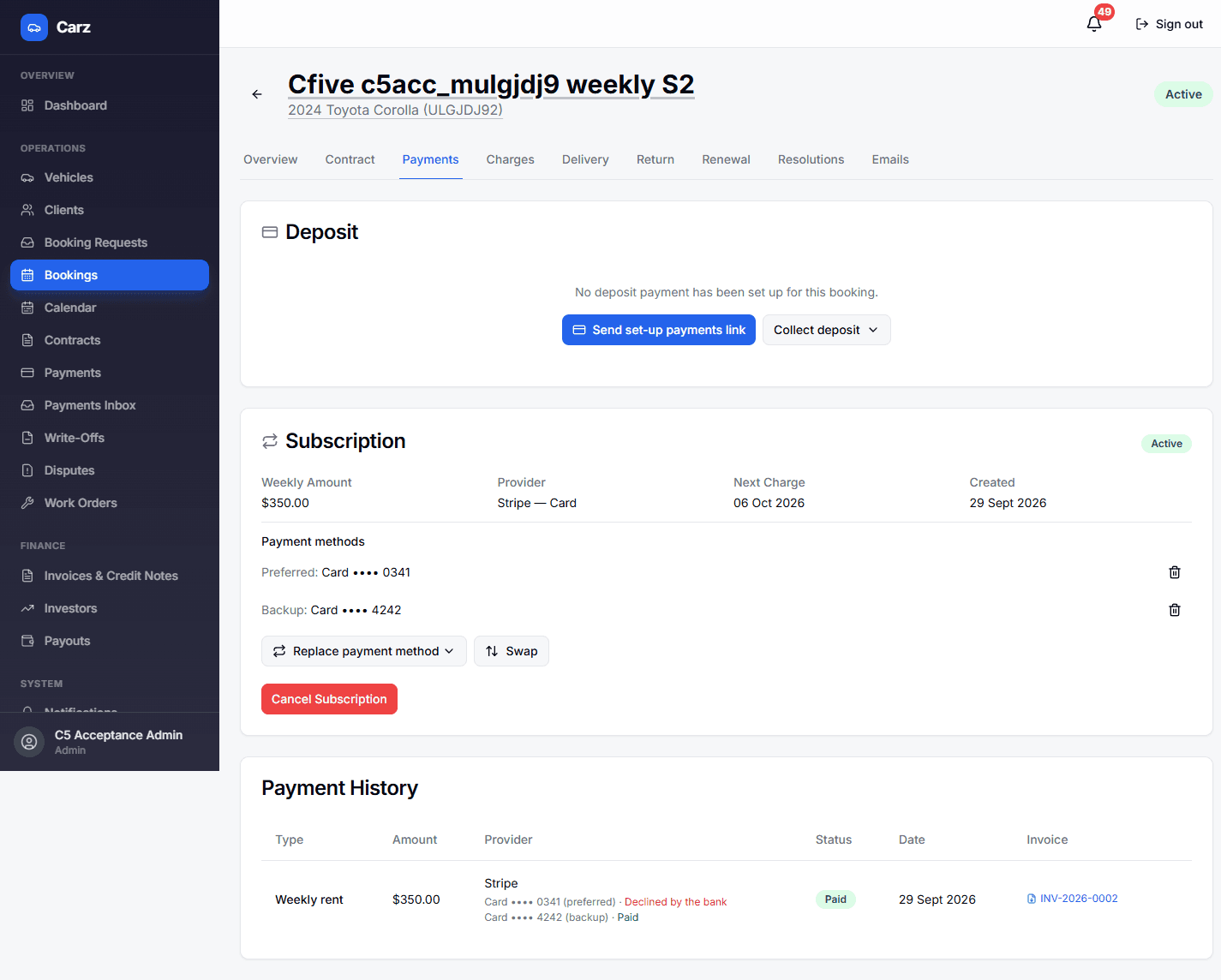
Each rental can now hold a preferred and a backup payment method. If the preferred one is declined, the same charge is retried on the backup straight away.
Backup payment method and attempt history
Before
One card per rental. A decline meant a failed week and a chase.
Now
Card or PayTo as preferred, plus a backup. A genuine decline retries on the backup, up to 8 retries per debt across both.
Already onThe backup retry is on. You can switch it off in Settings.
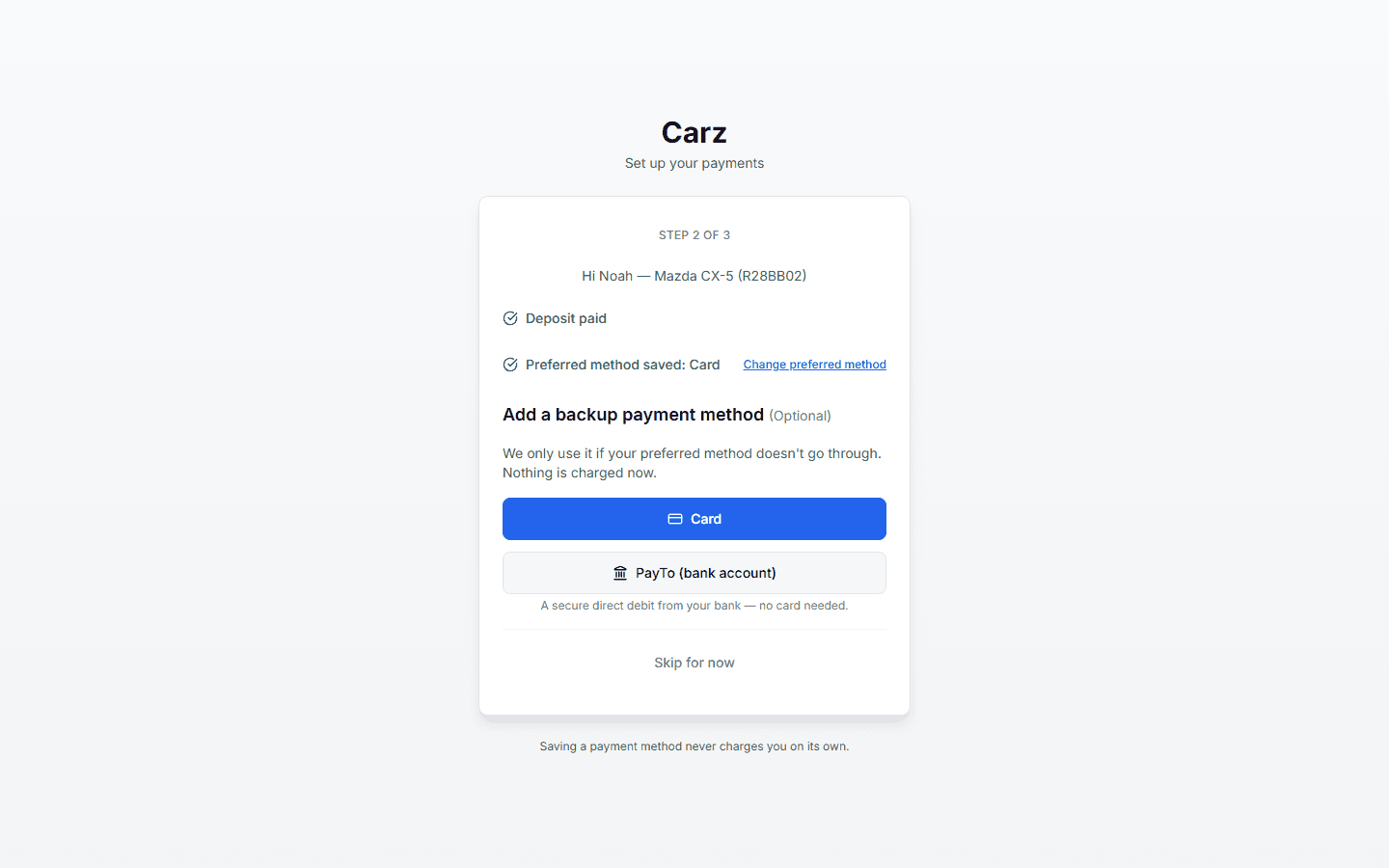
“Set up your payments” link
Before
Separate links for the deposit and the card.
Now
One “Set up your payments” link. It stays valid while the rental is active and can be regenerated.
OptionalFrom a booking, choose “Send set-up payments link”.
Payment methods in the client portal
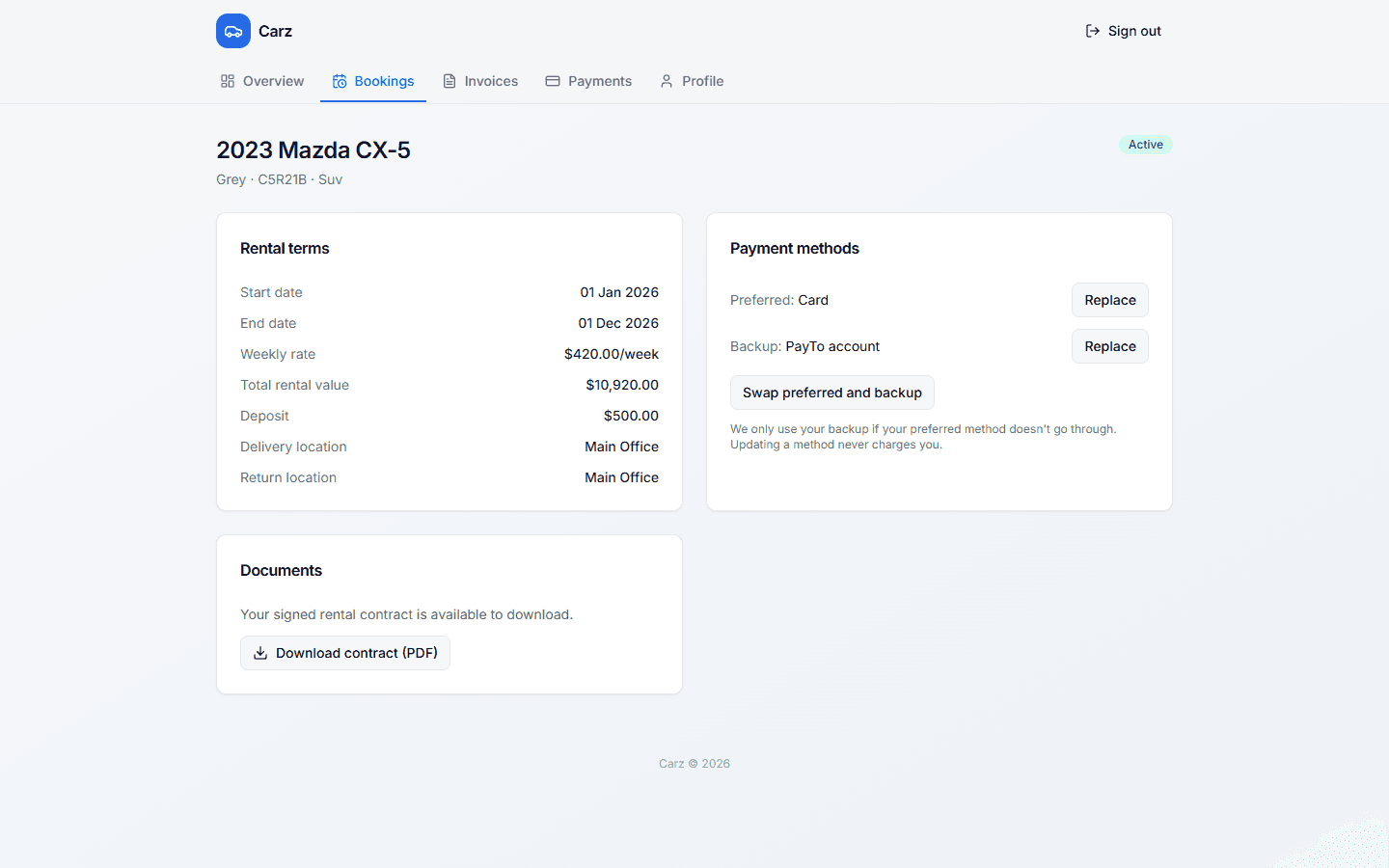
Already onClients with a portal account see this today.
Backup payment notices
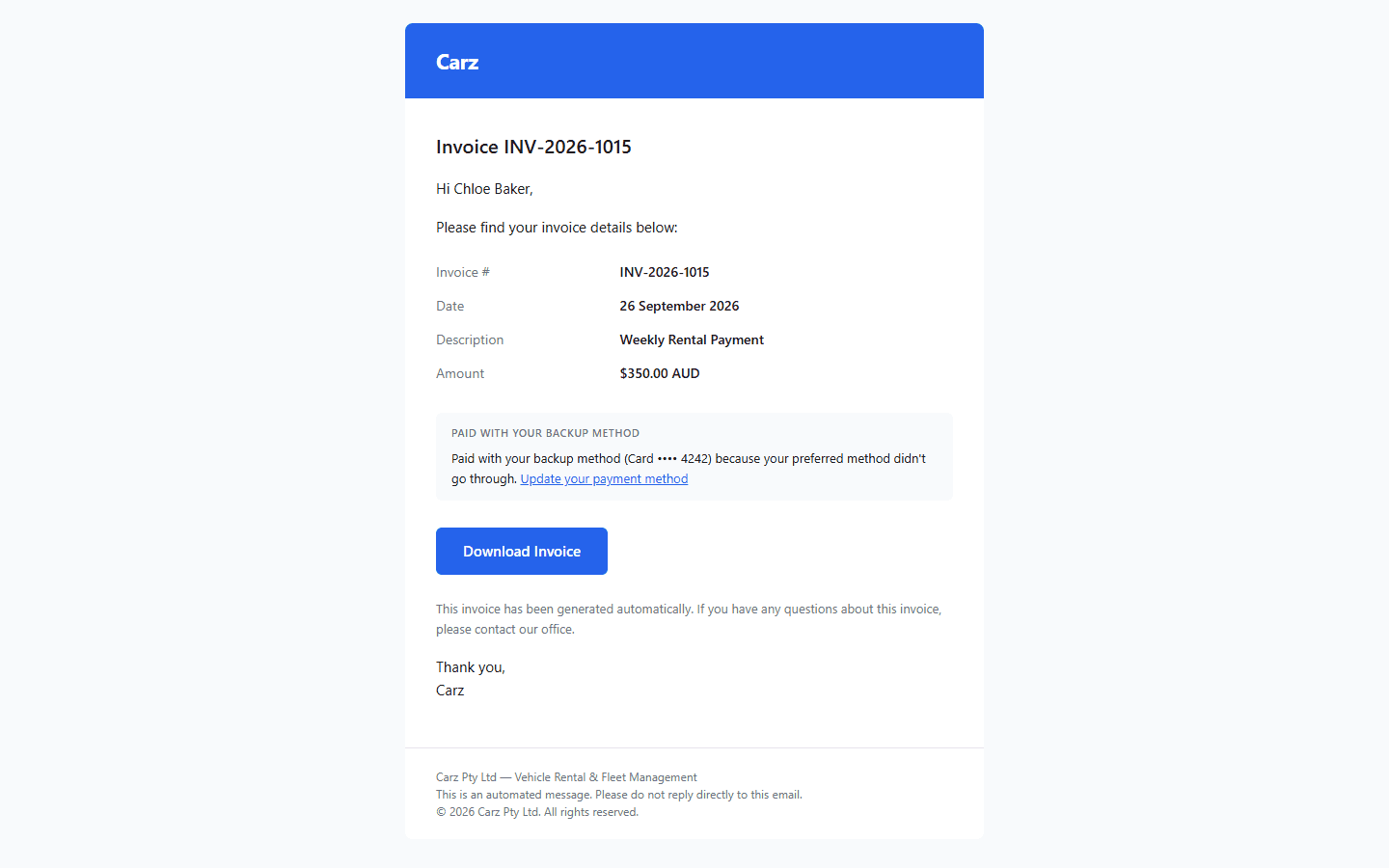
Already onStill one email per paid charge.
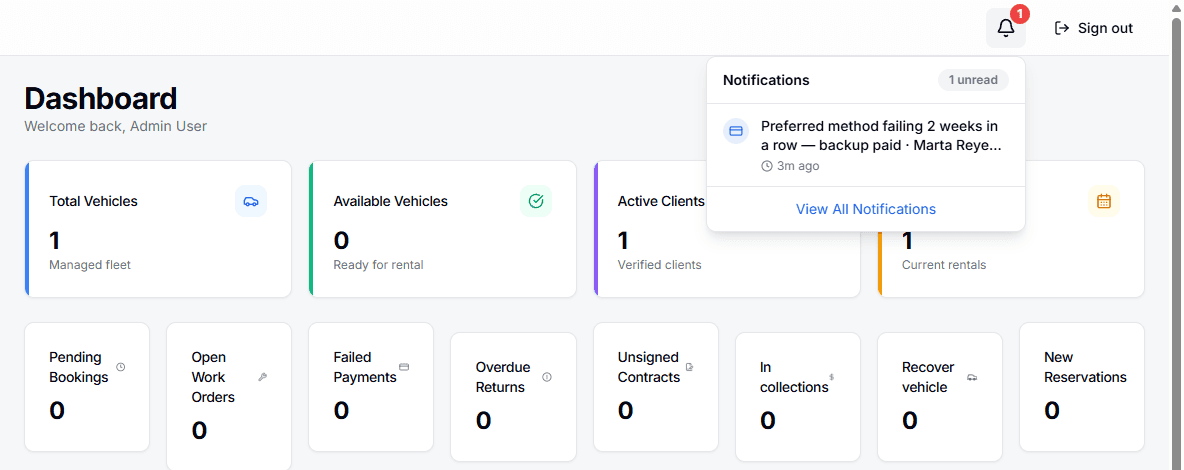
Admin bell alert for a failing preferred method
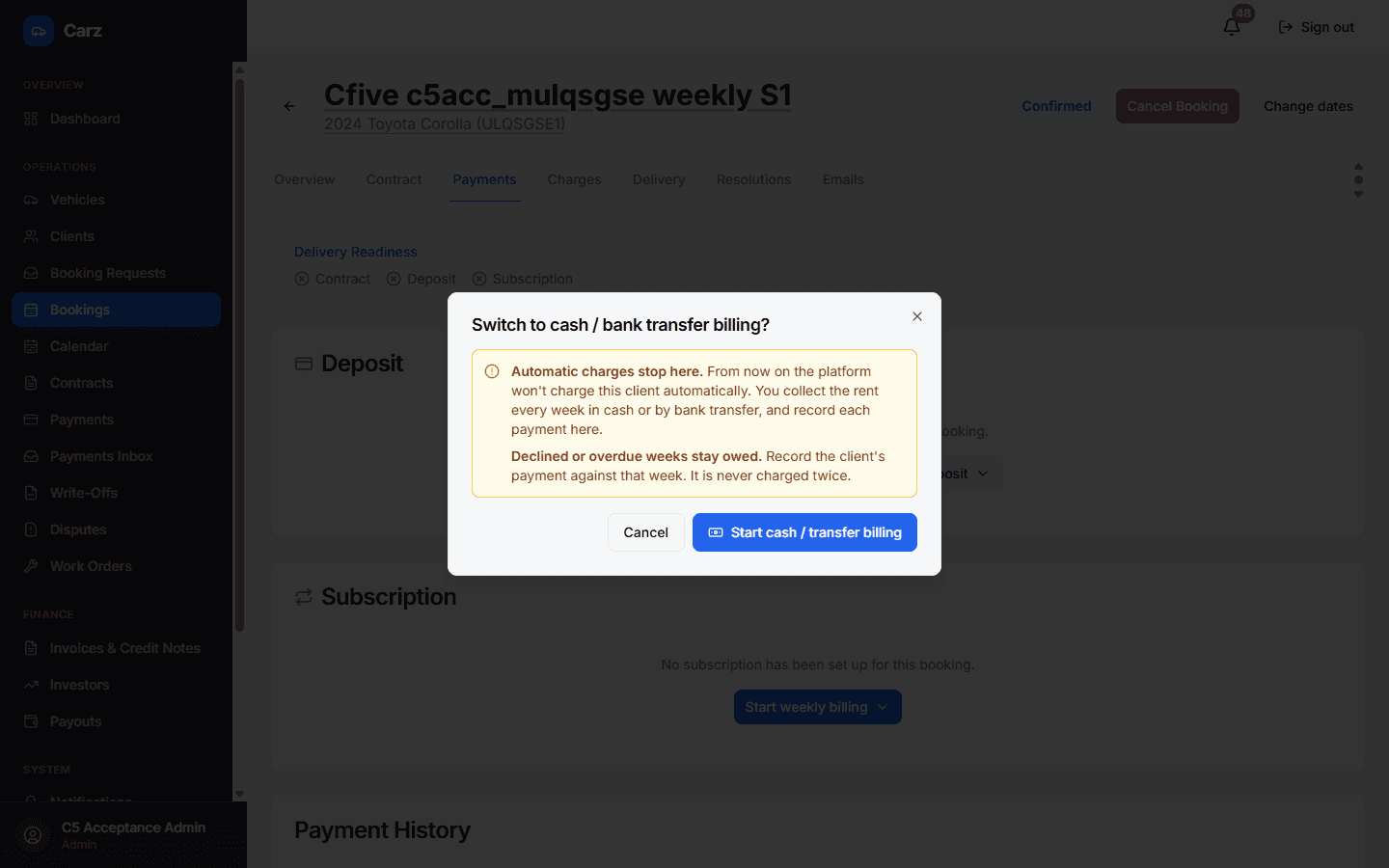
Warning when switching to cash
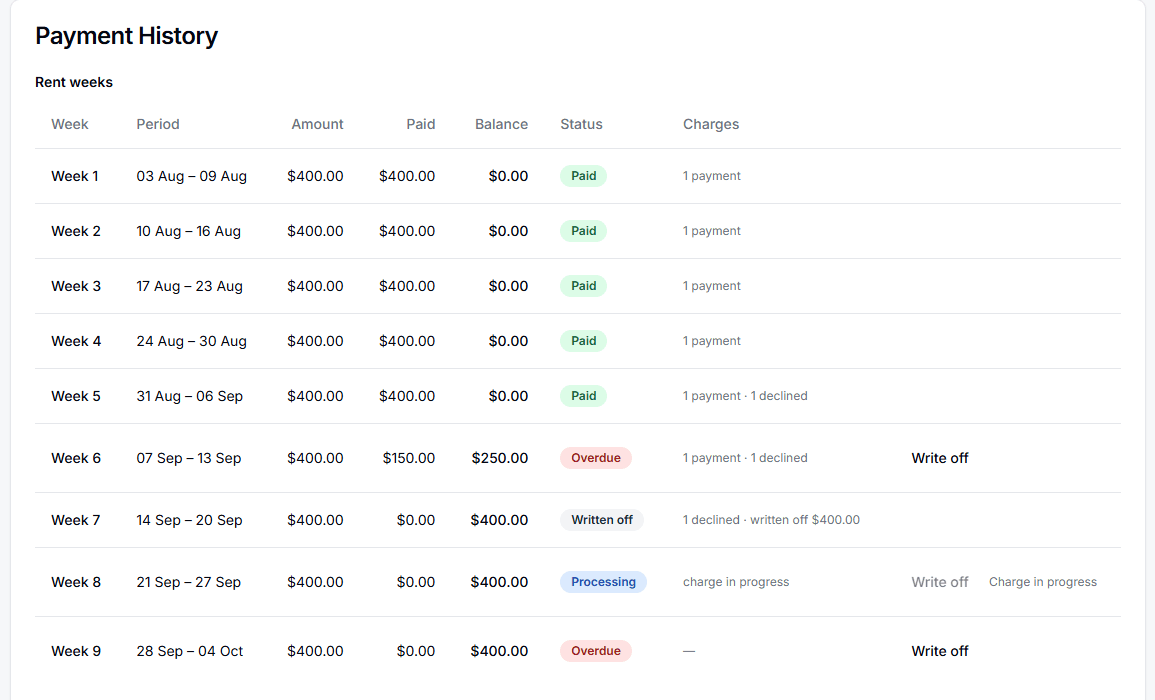
Rent weeks
Each week has a fixed period, amount and GST. Every card, PayTo, cash or reservation-credit payment is applied to a specific week, so the balance is read straight from the weeks. Two weeks can never cover the same days.
Rent weeks table
Before
The balance was worked out from failed payments, so a week paid later in cash could still look owed.
Now
Each week shows exactly what was paid against it and what is left.
Already onExisting rentals were converted when this release went live and checked against the old balances to the cent.
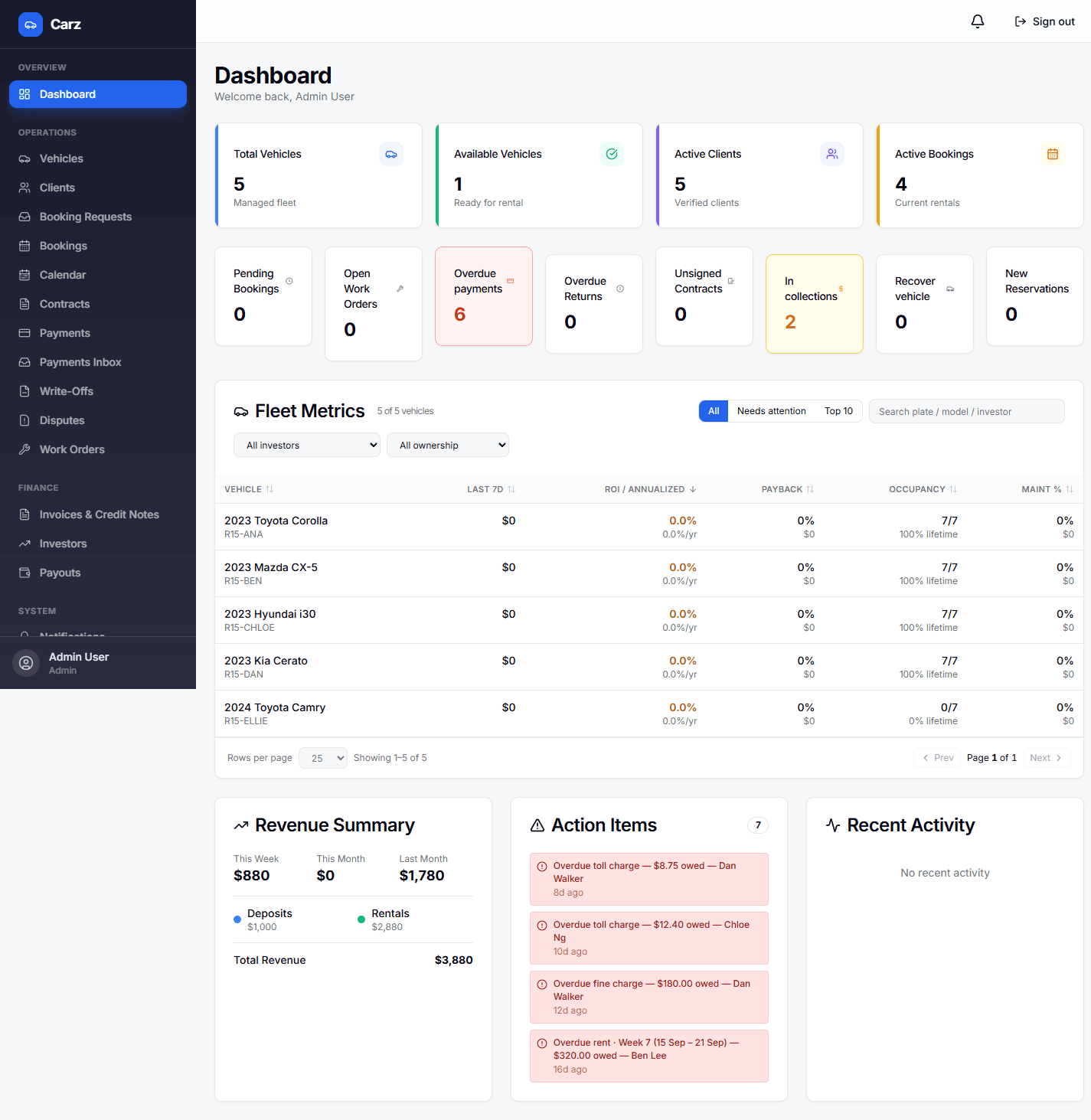
Overdue payments tile
“Owing now” in the client portal
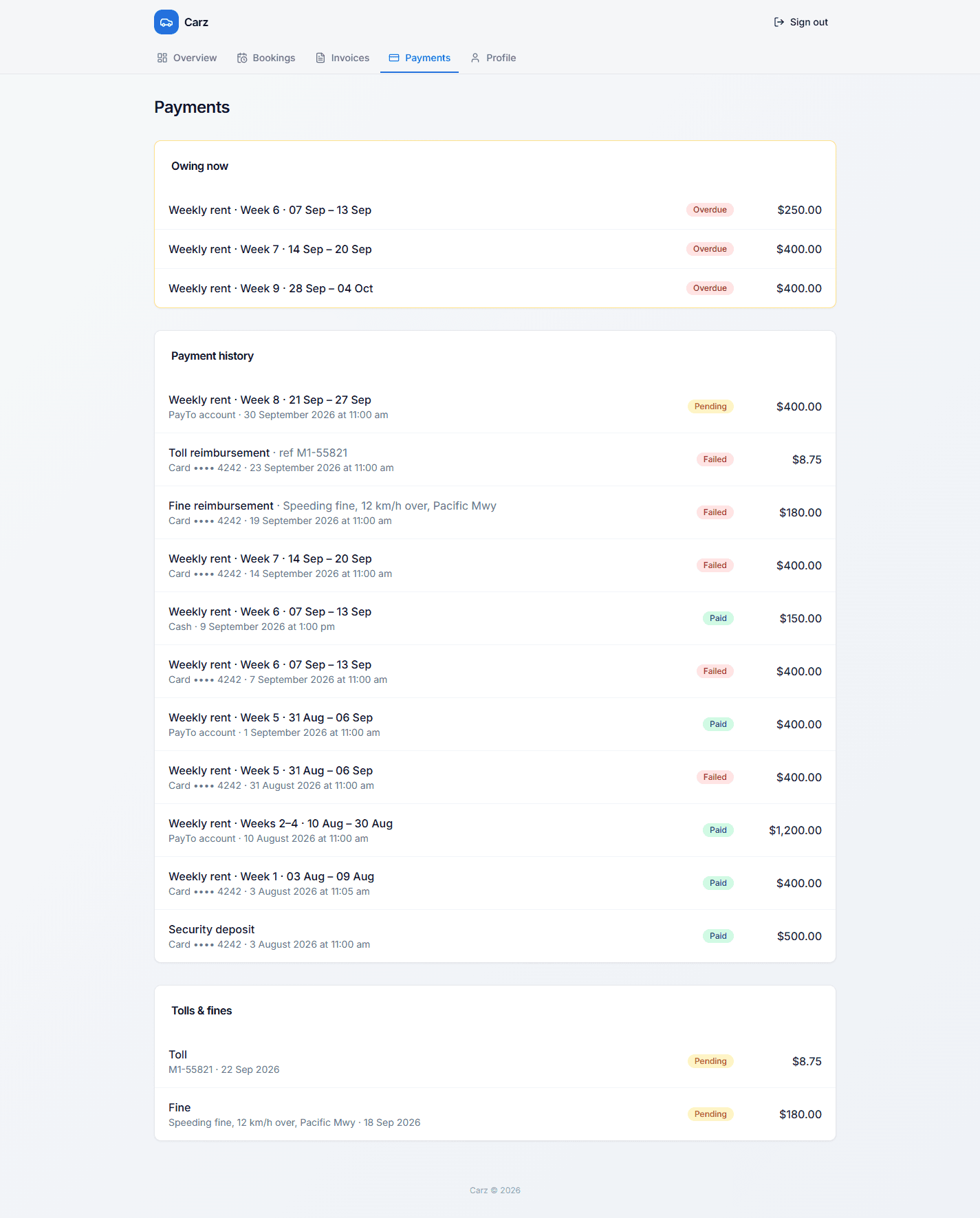
- Cash and bank transfers pick the weeks. A manual payment is applied to the oldest weeks first, or to the weeks you pick. Any excess is flagged for review.
Delivery date
Confirm a delivery with its real date and weekly billing starts from that day, even if you confirm it late.
Delivery date on confirmation
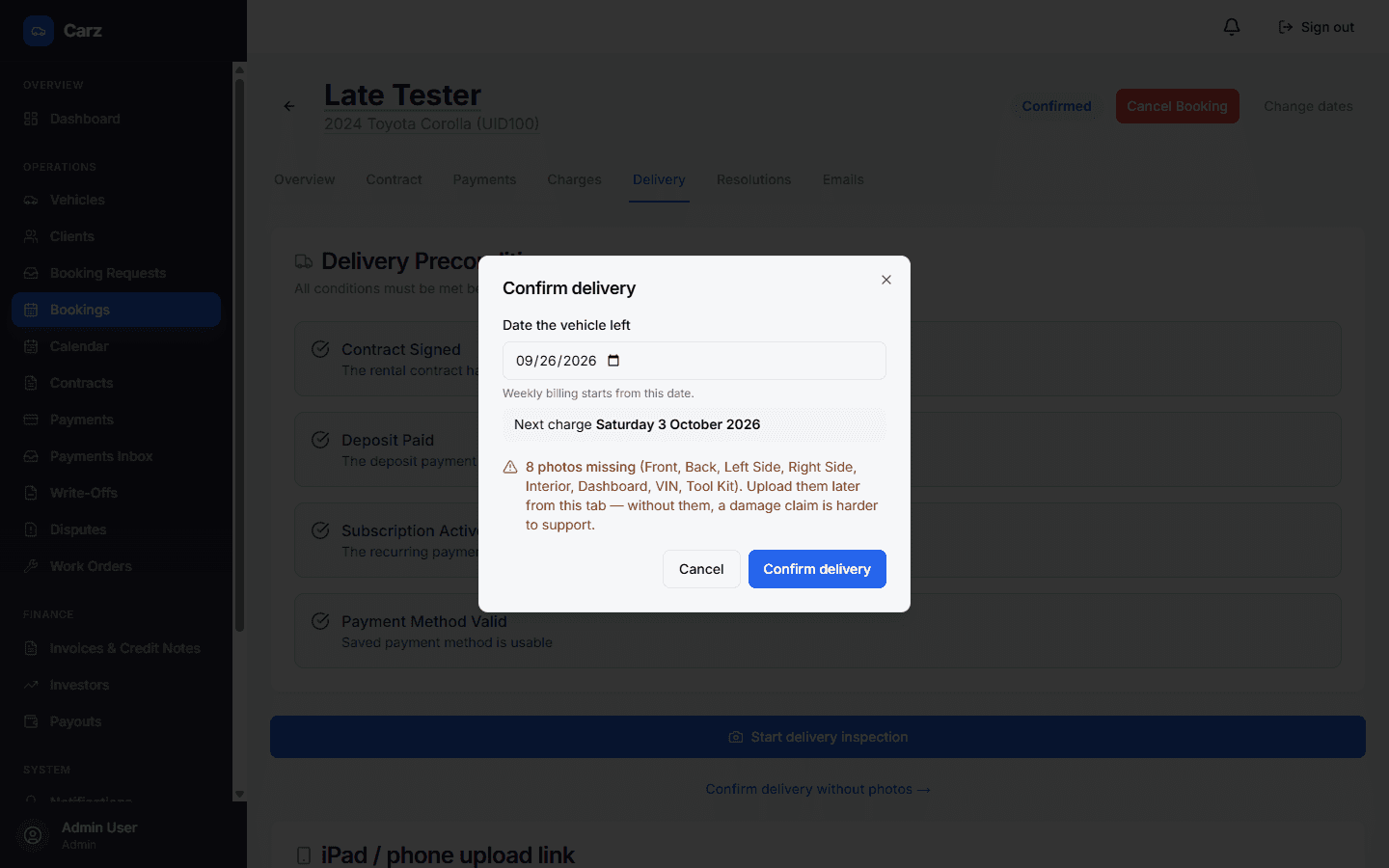
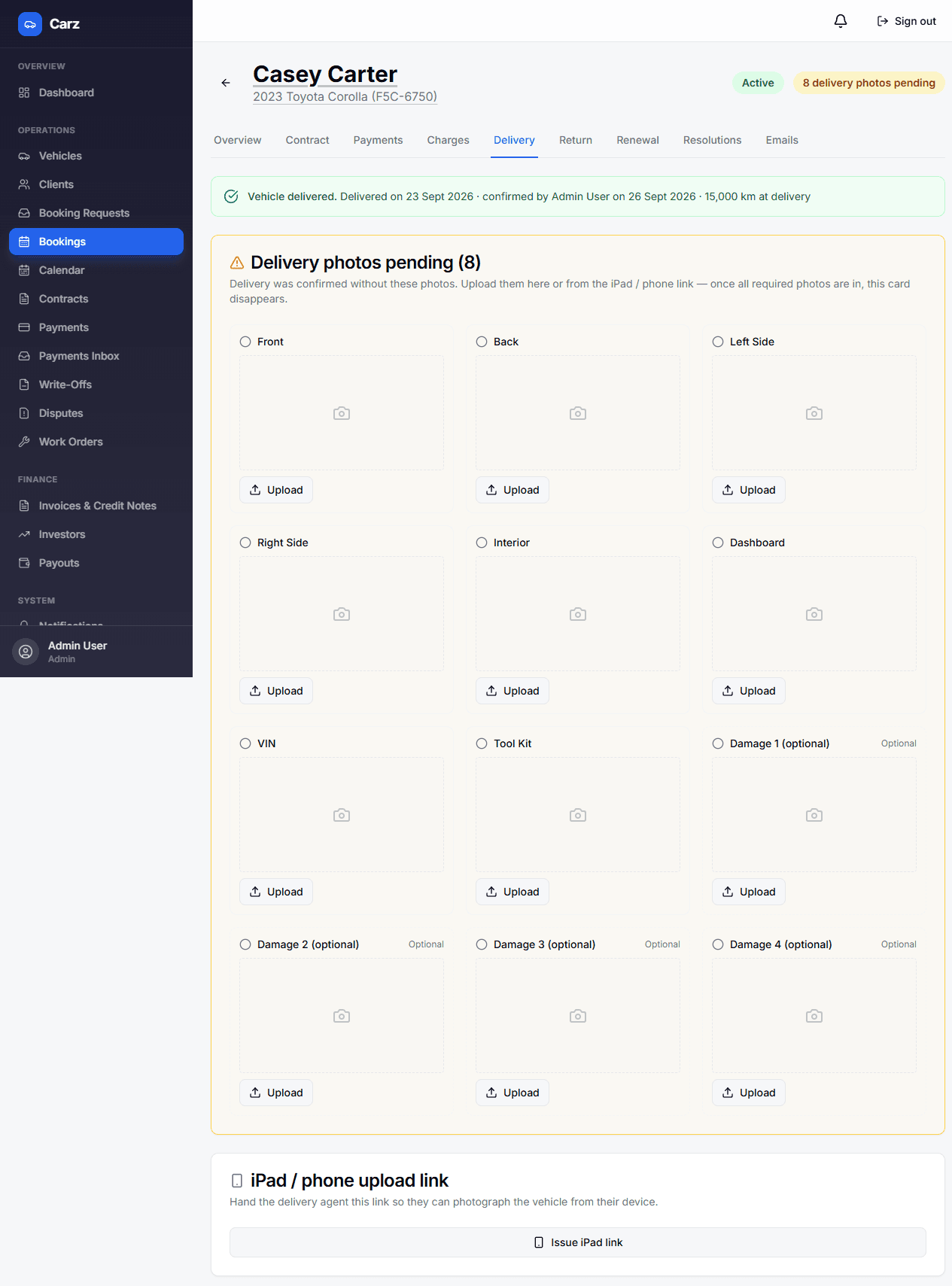
Delivery without all photos
“Deliveries to follow up” email
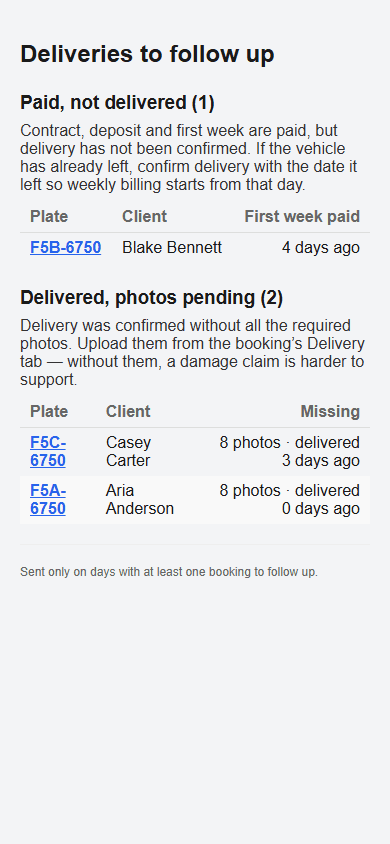
Already onIt lists rentals paid but not delivered, and deliveries still missing photos.
No-fee reservation requests
Set the reservation fee to $0 and customers can send a request without paying anything.
Reservation fee of $0
The dates are held while you accept or decline, and a hold that isn’t converted simply lapses, with nothing to refund.
OptionalSettings → Public reservation portal → set the fee to $0. It stays at $100 until you change it.
Smaller changes
- Require two payment methods (optional). When on, clients must save both methods, and the car can’t be delivered until both work. Card and PayTo rentals only. Settings → Platform Defaults.
- One button per action. “Collect deposit” is one menu when more than one option applies, and a plain button when only one does.
- No double charges. A retry can never charge a client twice, and Carz checks its records against Stripe every day. New rental agreements include a clause covering the backup method.
- Cash and bank-transfer billing is now always included, with no switch to find.
- Fixed: the card field on “Charge card manually” now accepts input.
- Fixed: a payment link is never reused while a PayTo payment is still going through. The client is told the bank payment is still being processed.
Questions? Get in touch